
Web 3.0 Why Separate Style, Content, Form and Function?
Let me explain what those mean in regard to the web, and then give you the top three reasons to care about dividing the labors. Style, content, form and function is one way to clarify what goes into web design. Style is your colors, your curves, your sassiness and aesthetic. It’s the (static) visual fun (read more)
Designing for Distraction: Engagement

Today, I present the second part of a two-part article on Designing for Distraction (click for slides). Yesterday, we looked at who the distracted are, what distracts them, and how to design for them. Today we’ll talk about Designing for Engagement (or Readers-First Design). For Engagement When we design to eliminate distractions, we design for (read more)
Designing for Distraction: The Distracted

Today, I present the first part of a two-part article on Designing for Distraction (click for slides). One of the key changes we’ve had since the advent of the internet is the increasing emphasis on design. And digital design is evolving more and more into a focused and engagement centered practice. Designing for distraction, both (read more)
Increase WP Upload Size Max
So I was having a problem with uploading a large video to a wordpress site, and I came across this site: http://www.wpbeginner.com/wp-tutorials/how-to-increase-the-maximum-file-upload-size-in-wordpress/ And let me share my experience and what worked, as I did finally get it to work. Like in all things I started with number 1 of the three ways. Which was to adjust (read more)
GIT $home directory using Powershell
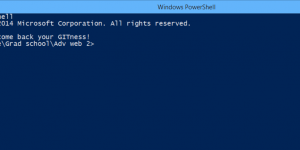
So I’ve been trying to get GIT to start in “D:\Google Drive\Grad school\Adv web 2” and for the life of me I couldn’t get it to work. I also wanted to change my $home variable so I can quickly move around. There are some great sites with some answers if you’re using pure Git Bash: http://stackoverflow.com/questions/7017143/git-bash-how-to-default-to-other-directory-instead-of-home-directory (read more)